


g200kg > KnobMan Online Help > 12.Animation Curve
KnobMan Online Help
2008/06/19
12.Animation Curve
« Prev 00.Index 01.What is this? 02.Overview 03.Value Handling 04.Preview 05.Preference 06.Primitive 07.Effects 08.Color Window 09.Texture 10.File Formats 11.Dynamic Texts 12.Animation Curve 14.Plugins 15.Plugin API 16.Simple Tutorial 17.Knob Browser 18.Multi Language Support 19.History 20.FAQ Next »
Animation Curve
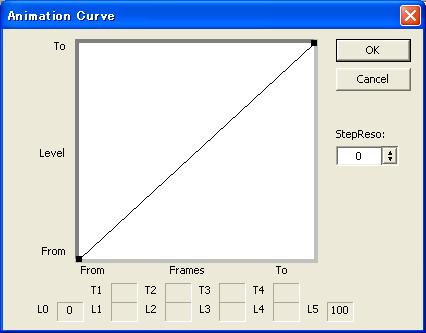
The animation between 'From' and 'To' can be not only linear. (For example, the LED only need obvious 'On' and 'Off' states. or VU level color turn red only if over 0dB) You can make complex animation curve by "AnimCurve"-"Curve1/Curve4" menu.
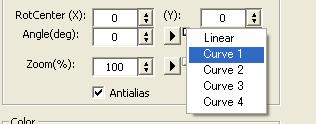
These curves are assigned by right side of the each effect parameter animation button.
Return
« Prev 00.Index 01.What is this? 02.Overview 03.Value Handling 04.Preview 05.Preference 06.Primitive 07.Effects 08.Color Window 09.Texture 10.File Formats 11.Dynamic Texts 12.Animation Curve 14.Plugins 15.Plugin API 16.Simple Tutorial 17.Knob Browser 18.Multi Language Support 19.History 20.FAQ Next »
g200kg